Running version 0.13? Its downloads, pricing and trial are on the 0.13 site. Go to the 0.13 site

Web Radio Control
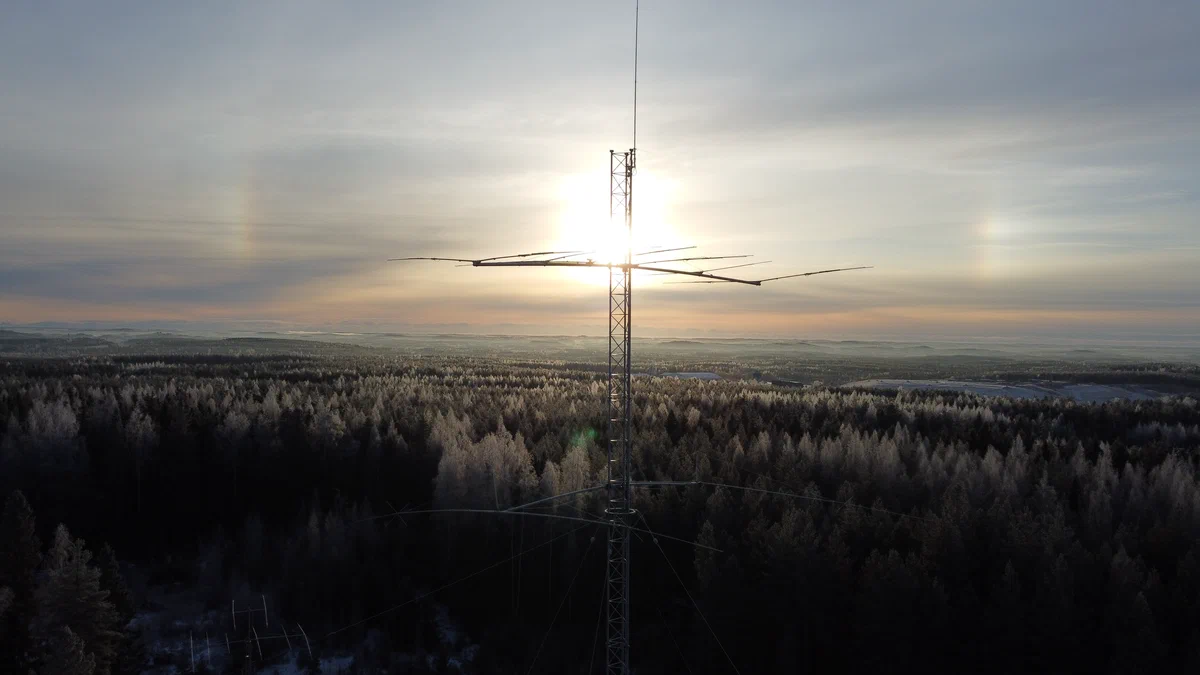
A Yagi antenna on a tower against the winter sun, with sun dogs, above a frosty forest

2.0 · Free beta November 25 · Get notified

Complete remote station control, for you and your club. Connect your station, and you're on the air.

Operate your amateur radio station from anywhere. Web Radio Control 2.0 brings your radios, rotators, amplifiers and antenna switches to any web browser, at home or on the move. Your station gets its own secure address, and the guided setup takes care of the technical side.

Set up in three steps

Hear first when 2.0 is ready. The free beta comes out on November 25.

A few emails a year: the release, betas and major updates. Unsubscribe any time. How we handle your email

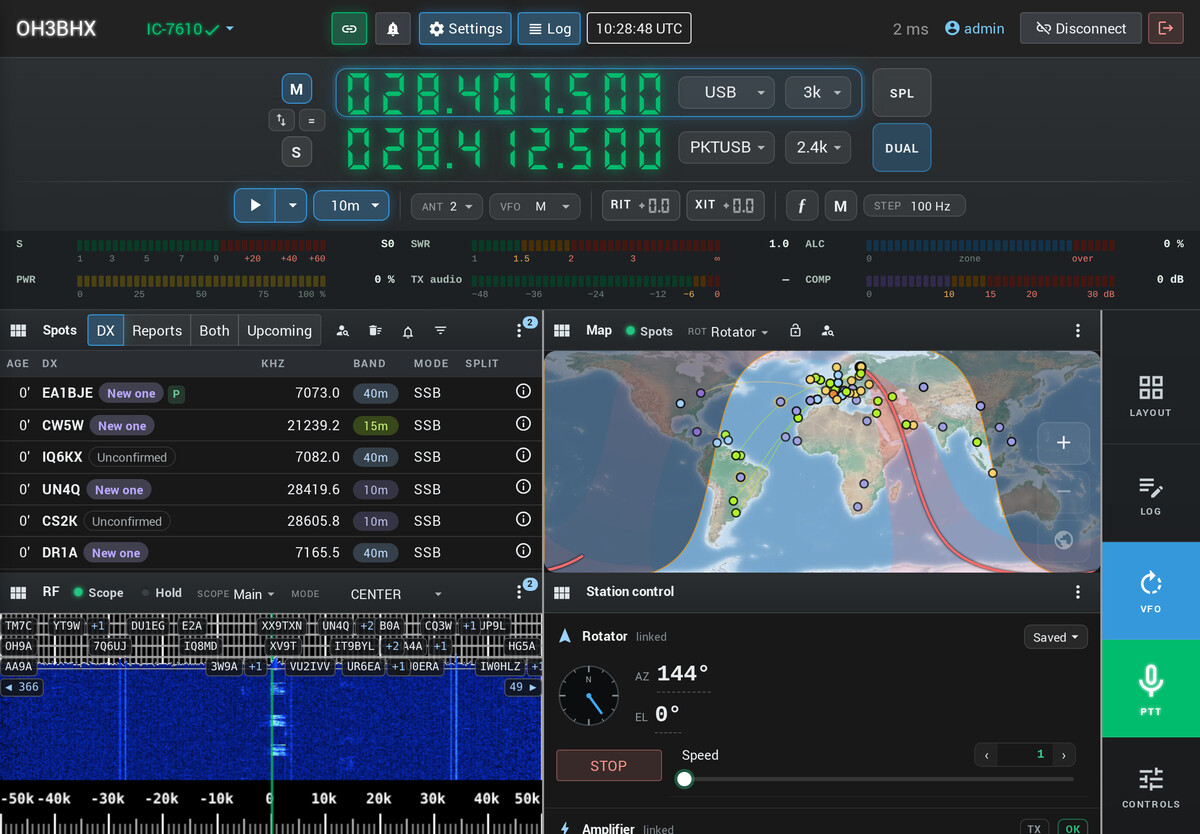
The radio view on a desktop screen during the CQ World Wide DX SSB contest: the radio, spots, the map, the waterfall and the station's other devices on one screen.

Screenshots from a preliminary 2.0 alpha on a demo station, with demo data. The interface may still change before the release.

Set up in three steps

  1. At the station

    Station, connected

    Web Radio Control connects to your radios, rotators, amplifiers and antenna switches using a Raspberry Pi, a credit-card-sized computer.

  2. In your browser

    A guided setup

    Set up your hardware without technical complexity. Configure and test your devices, with powerful diagnostics for device connectivity.

  3. Wherever you are

    Your station's address

    Secure remote access. Reach your station at <station>.wrcs.tech from a phone, a tablet or a desktop.

For your own station, and for your club

The radio view on a tablet: both VFOs, spots, the map and the rotator preliminary demo
Your own station

Never miss a contact

Keep your station with you wherever you go: catch the band opening from the sofa, join the evening net from the cottage, and chase the DX you've waited for from your phone.

  • Your radios, beam, amplifier and antenna switches together
  • Operate on phone (voice), CW and digital modes
  • Spots on a map and a logbook built in
For your own station
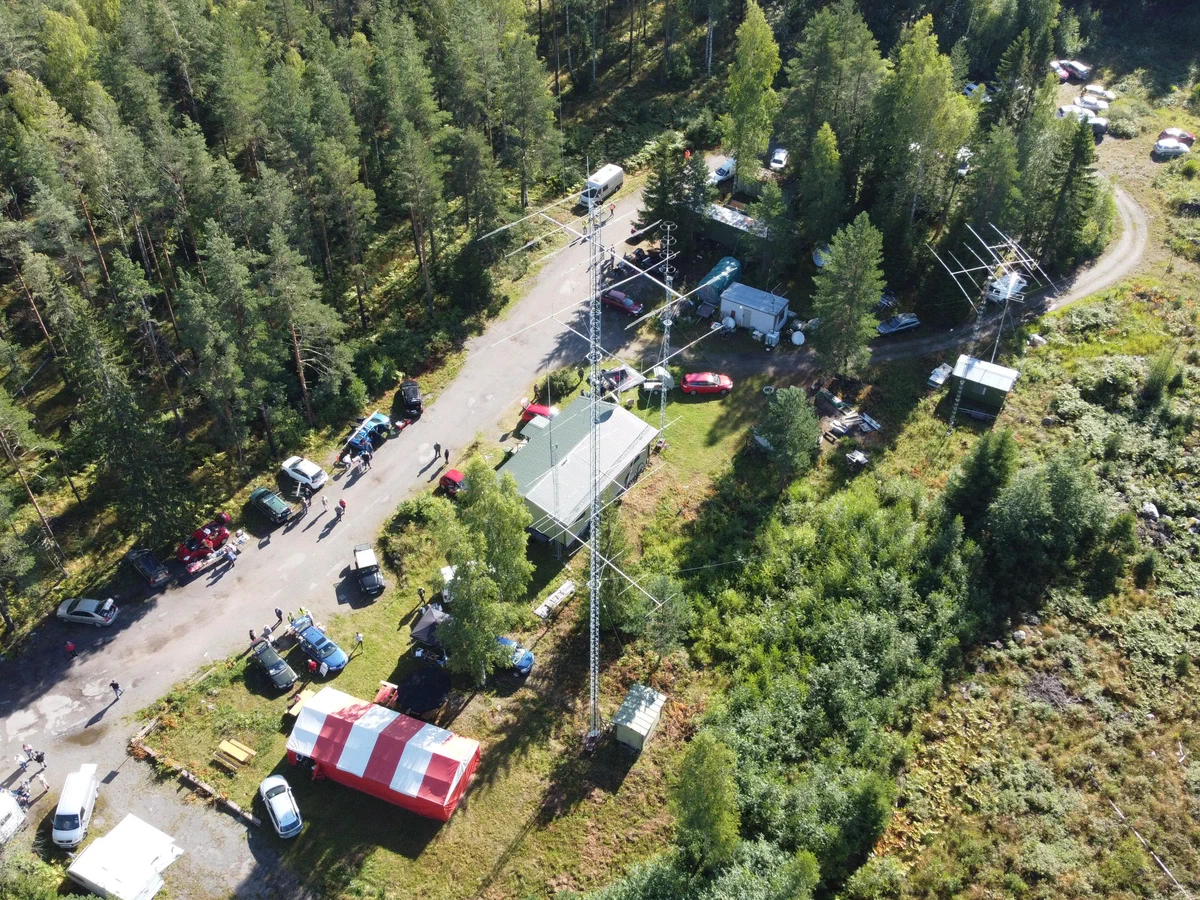
A frosted stack of Yagi antennas on a club station's tower above a snowy forest
Your club

Bring the club station to life

Spark activity among club members: everyone can get on the air from home, not only those who live nearby. Each member books their time and has the station to themselves.

  • Personal logins and roles for every member
  • Reservations: see who's on now, who's next, or use the calendar view to book time
  • A friendly start for new licensees
For clubs

Why operate remotely

Your station belongs where the antennas work. Keep it close at hand wherever you are.

Less noise A quiet site
Town noise can often sit 3–6 S‑units above a quiet country site. That's up to 30 decibels. Hear weak stations from where the antennas work well.
3–6 S‑units
up to 30 dB
Room for antennas Any site you can reach
Raise the beam or the long wire you can't fit at home, with nothing in the way of the DX.
Bigger antennas
clear takeoff
Never miss an opening On the move
Rare DX, a band opening or the evening net: be on the air from your phone, wherever you are.
Phone · tablet
desktop
One station, many operators Clubs and new licensees
Club members and operators without antenna space get on the air from one shared station, each with their own time.
Personal logins
booked time

What 2.0 brings

Everything you need to run a remote station, in the browser.

Getting started

  • A guided setup in the browser: configure and test your devices with powerful diagnostics for device connectivity New
  • Add a radio by picking it: it's found, asked which model it is, and tested before you transmit New
  • Your station's own address under the wrcs.tech domain name, with no browser security warnings New
  • Updates from the browser, with a way back, and nightly backups New
  • Every setting in one place in the app, and yours follow you to any device Rebuilt

Operating from anywhere

  • Phone, tablet and desktop layouts, split and both VFOs included New
  • Clear audio: high-quality Opus compression, or uncompressed when your connection allows New
  • Amplifier control: power, meters, inputs, antennas and tuning, first for SPE Expert amplifiers, more coming soon New
  • Rotator, antenna switch and relay control
  • CW from the keyboard, macros or a Morse key on a USB adapter
  • Digital modes with WSJT-X and fldigi, through WRC Link, the renewed helper app on your computer New

Logbook

  • A built-in logbook in every license, with one-line entry New
  • ADIF import and export New
  • POTA, WWFF and SOTA references, dupes and needed marks New
  • Your contacts sent to Wavelog or Cloudlog New
  • WSJT-X and GridTracker log straight into the station Coming soon

Spots and map

  • DX cluster and other spot sources, with filters and alerts New
  • Tap a spot to tune, set the split and turn the beam New
  • Reception reports from PSKReporter and the Reverse Beacon Network New
  • One map for the beam, the gray line, spots and where you're heard New

For clubs

  • Personal logins and roles
  • Book the station immediately using a shortcut, or use the calendar view to reserve any future time slot Rebuilt
  • One operator on the air at a time New
  • Band and power limits per radio and antenna Coming soon
  • Text chat for station users Coming soon

Privacy and security

  • Secure default settings and encrypted connections. Firewall enabled, login and SSH guards in place from the start. New
  • Support for private networking, such as Tailscale New
  • The WRC Cloud Service runs in the EU, providing dynamic DNS, certificates and connectivity diagnostics

Need help?

Read how Web Radio Control works, ask other operators, or write to us.

Documentation doc.webradiocontrol.tech
Setting up the station, connecting your devices and operating, step by step.
Read the docs
Discussion group wrc-users.groups.io
Ask other operators, and share what works at your station.
Join the group
Contact us
Licenses, purchases and downloads, and anything the documentation and the group don't answer.
Contact
Web Radio Control

Hear first when 2.0 is ready.

The free beta comes out on November 25. We send a few emails a year: the release, betas and major updates.

A few emails a year: the release, betas and major updates. Unsubscribe any time. How we handle your email

Almost there

We've sent a confirmation email to . Open it and confirm to start getting the release news.